SEO Gets alternative
SEO Gets shows you which pages are slipping. Flowra fixes them.
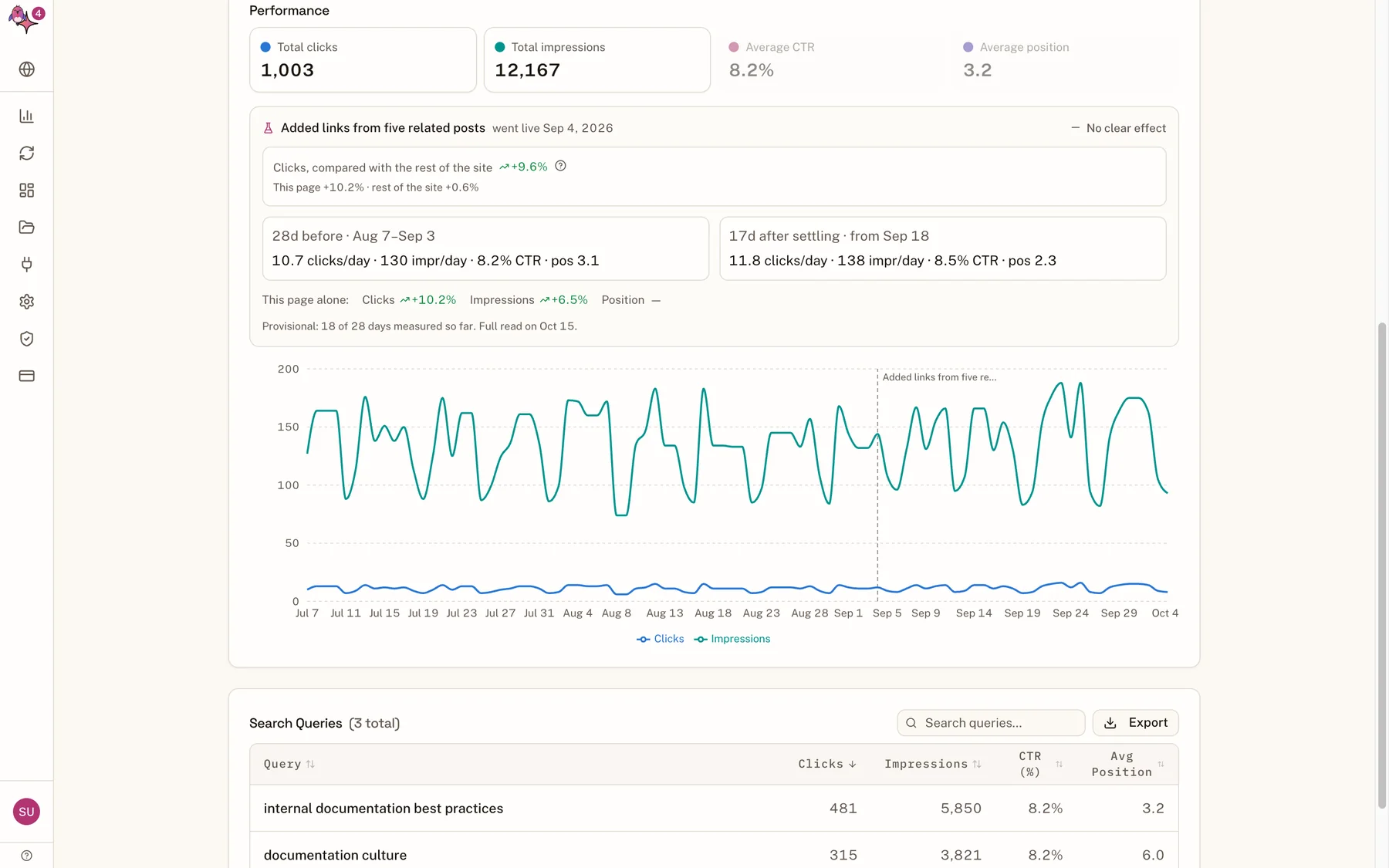
Finding the pages that lost traffic is the easy part. Flowra finds them too, then plans the fix for each one from the pages outranking it, rewrites it in your voice, publishes it to WordPress and tells you whether it worked.
The difference
A dashboard covers one step of five
Getting a page's traffic back takes five jobs. A Search Console dashboard does the first one well, and hands the other four to you and your writers. Flowra runs all five in one place.
- Step 1FindWhich pages are losing trafficSEO GetsYesFlowraYes
- Step 2PlanWhat each page needs, from the results above itSEO GetsNoFlowraYes
- Step 3WriteThe rewrite, in your voiceSEO GetsNoFlowraYes
- Step 4PublishLive on WordPress, recrawl requestedSEO GetsNoFlowraYes
- Step 5ProveDid it work, against the rest of the siteSEO GetsPartlyFlowraYes
Step 2: Plan
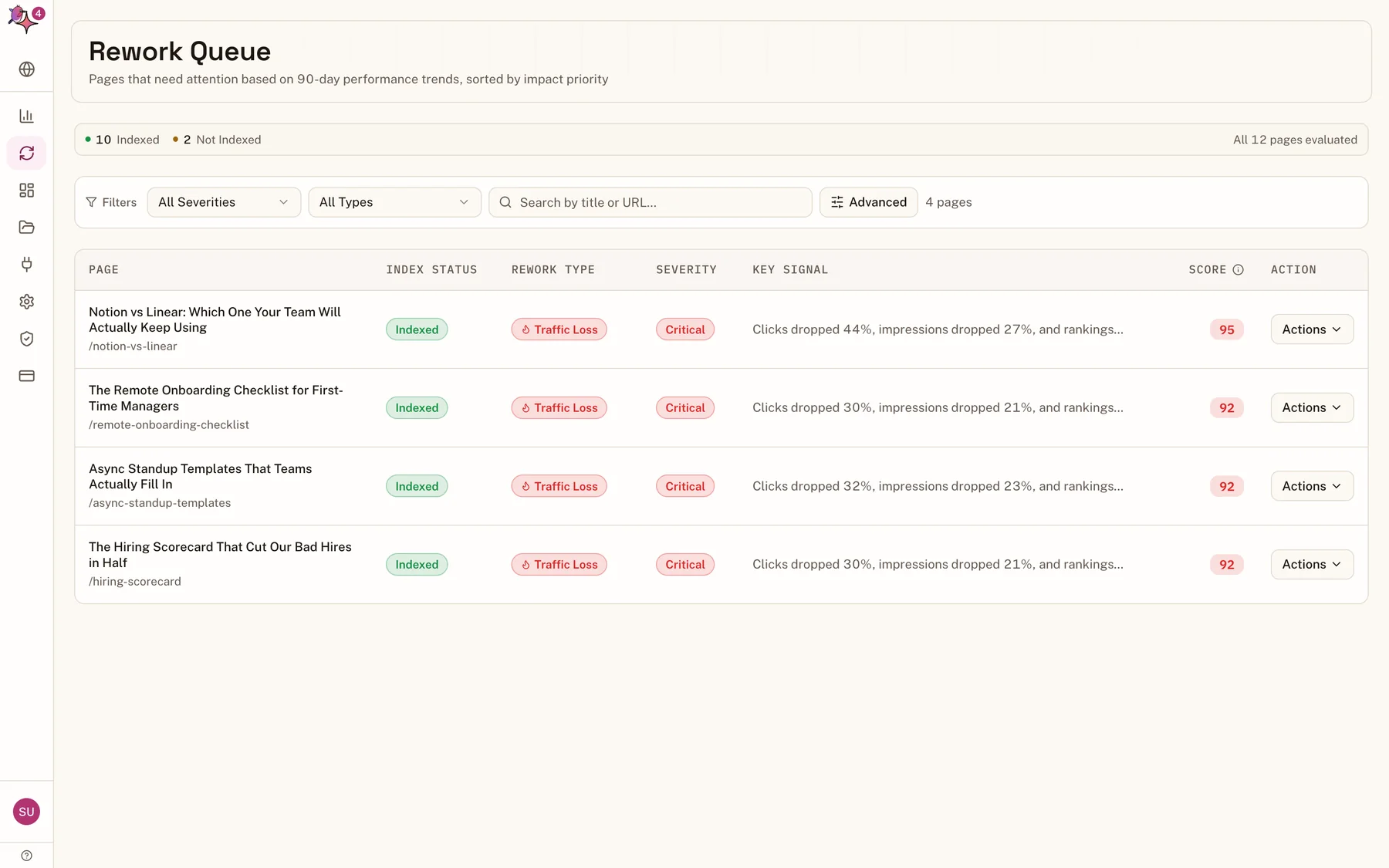
A plan for each page, not a list of pages
Open a page from the rework queue and Flowra reads the results ranking above it, section by section. You get a verdict for each part of your article: expand this, add the comparison table you are missing, add the FAQ searchers keep asking, keep that section, it is already better than theirs.
SEO Gets leaves this step to you.
Step 3: Publish
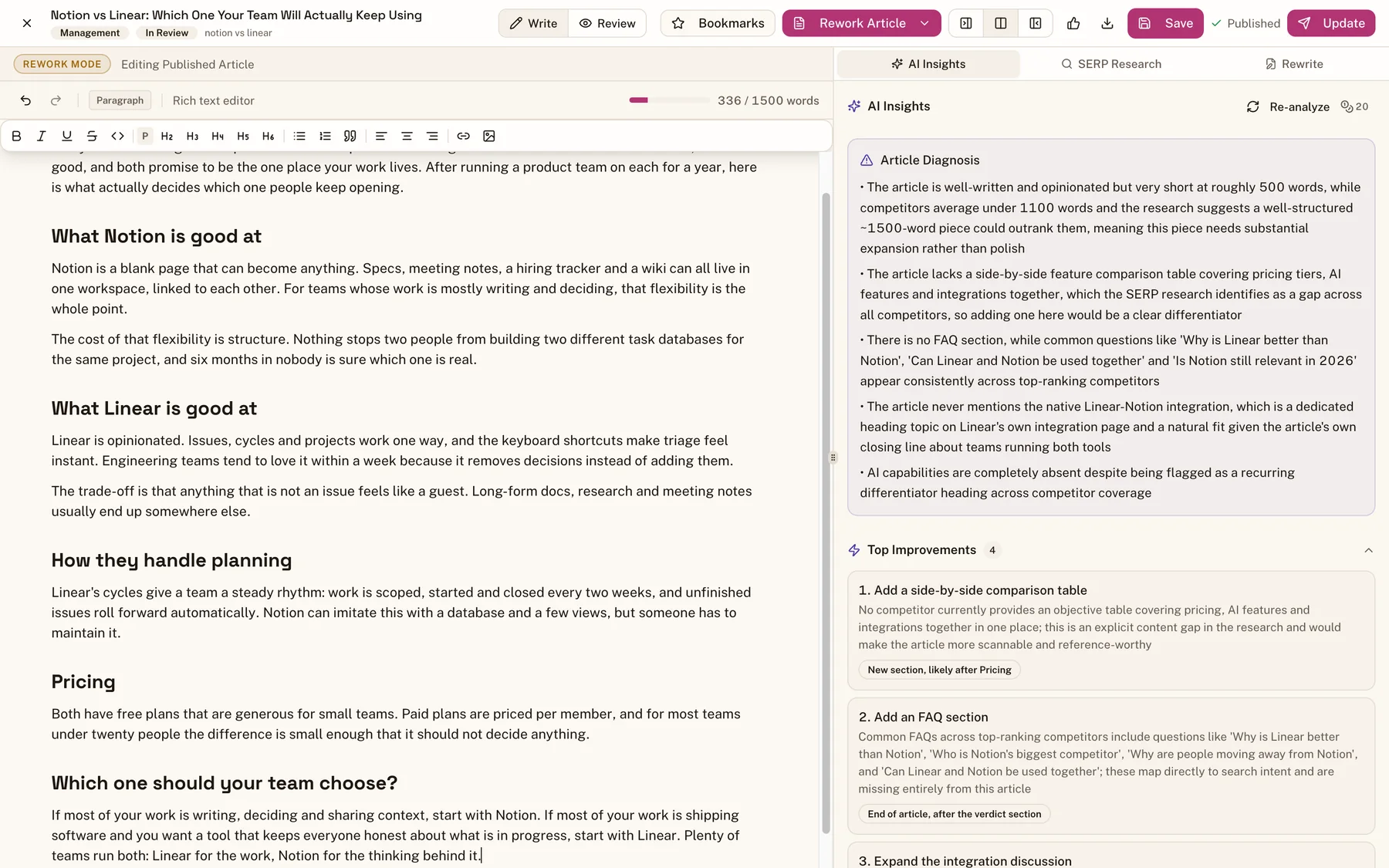
Live on WordPress without copying anything across
When the rewrite is approved, Flowra updates the live WordPress post after a confirmation step, then asks Google to recrawl the URL. Nothing goes live until you press the button, and sections you did not approve come back exactly as they were.
SEO Gets leaves this step to you.
Step 4: Prove
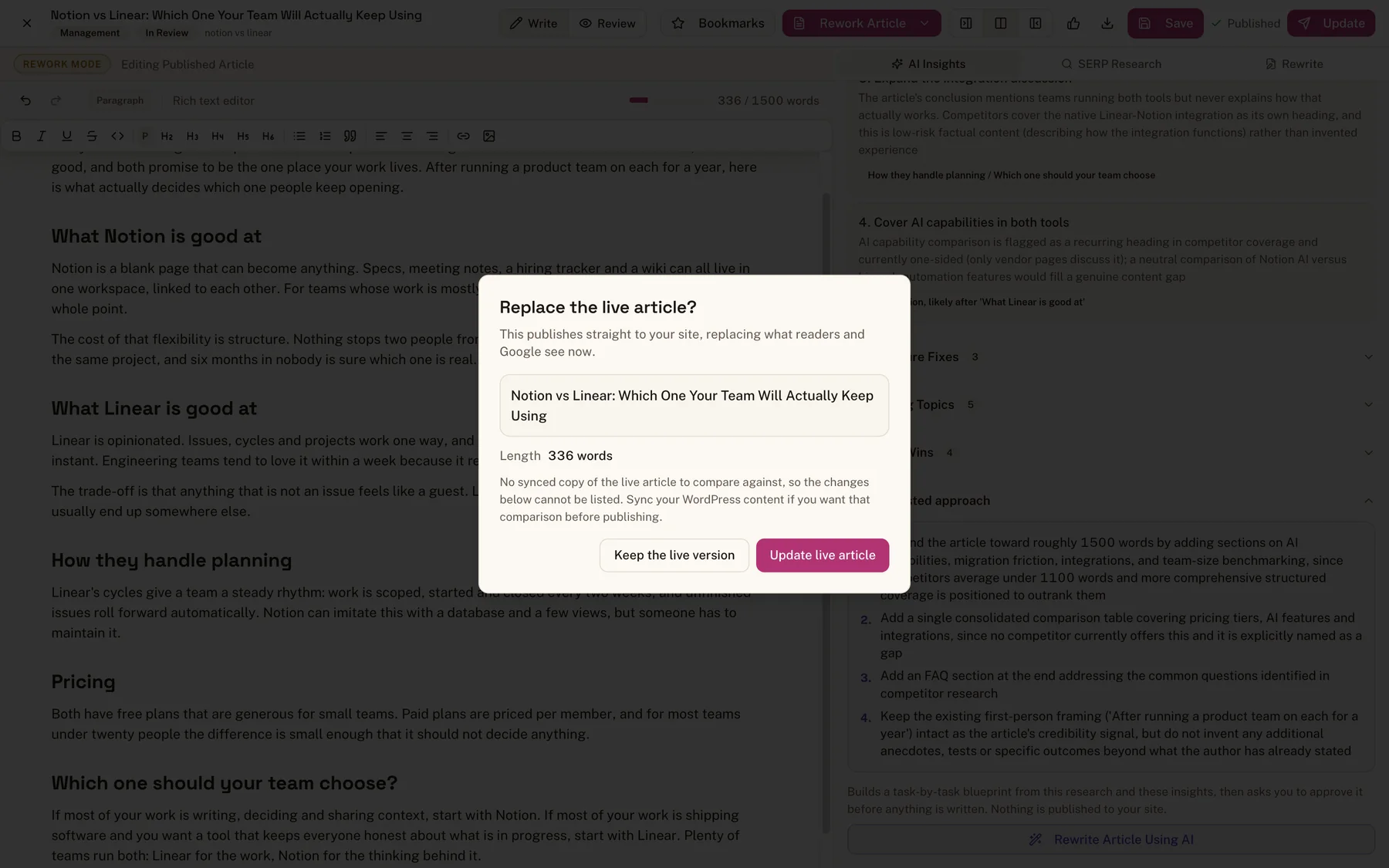
An honest answer to 'did it work?'
Every change is tagged on the page's chart, left to settle for 14 days, then measured against the rest of your site. If the whole site had a good month, your page has to beat that to count. If the change made things worse, Flowra says that too.
SEO Gets runs before and after tests; it does not adjust for the rest of your site.
Side by side
SEO Gets vs Flowra, feature by feature
SEO Gets details are from seogets.com and its pricing page, checked on 7 October 2026. If something there has changed, tell us and we will update this page.
| Feature | SEO Gets | Flowra |
|---|---|---|
| Finding the problem | ||
| Search Console + GA4, 16 months of history | Yes | Yes |
| Content decay, content groups and topic clusters | Yes | Yes |
| Cannibalization, striking distance, index monitoring | Yes | Yes |
| Every page scored, with the reason in one lineThe rework queue says why a page dropped: lost rankings, lost clicks or lost demand. | No | Yes |
| Fixing it | ||
| A section by section plan built from the pages that outrank you | No | Yes |
| SERP research and an outline your writer can use | No | Yes |
| AI rewrite in your own writing style | No | Yes |
| Sections you did not approve stay word for word | No | Yes |
| Pipeline board for the team: assign, review, approve | No | Yes |
| Publish the update to WordPress in one click | No | Yes |
| Ask Google to recrawl the page on publish | No | Yes |
| Proving it worked | ||
| Before and after test on a change | Yes | Yes |
| Measured against the rest of your site, after a 14 day settling windowSo a good month for every page does not get counted as your fix working. | No | Yes |
| Client report with your logo and colours | Branded PNG export, client portal | Weekly report and share link |
| Price | ||
| Free plan | Search Console dashboard | 1 website, decay report, 3 Reworks a month, WordPress publishing |
| Paid plans | $59 a month, analytics only | From $49 a month, with 15 Reworks a month included |
Already using SEO Gets?
You do not have to choose today
Both tools read Search Console with read-only access, so connecting Flowra changes nothing in SEO Gets. Start on Flowra's free plan, run your three free Reworks on the pages SEO Gets has been flagging, and compare what happens to their clicks.
To be fair to SEO Gets: if all you want is a dashboard across dozens of sites, its free plan covers unlimited sites and its paid plan is $59 a month. It also has an MCP server for Claude and ChatGPT and a Chrome extension, which Flowra does not. If your team needs the pages fixed, not just found, that is the job Flowra was built for.
Frequently Asked Questions
SEO Gets alternative
Related
- Content decay, the map that shows which pages are slipping and since when.
- How Flowra works end to end, from a slipping page to a measured fix.
- How to do a content audit, the manual version of what Flowra automates.
- Pricing, including what the free plan covers.
Stop collecting reports about pages you never fix
Connect Search Console and WordPress, and fix your first three pages free. No card needed.
Start free