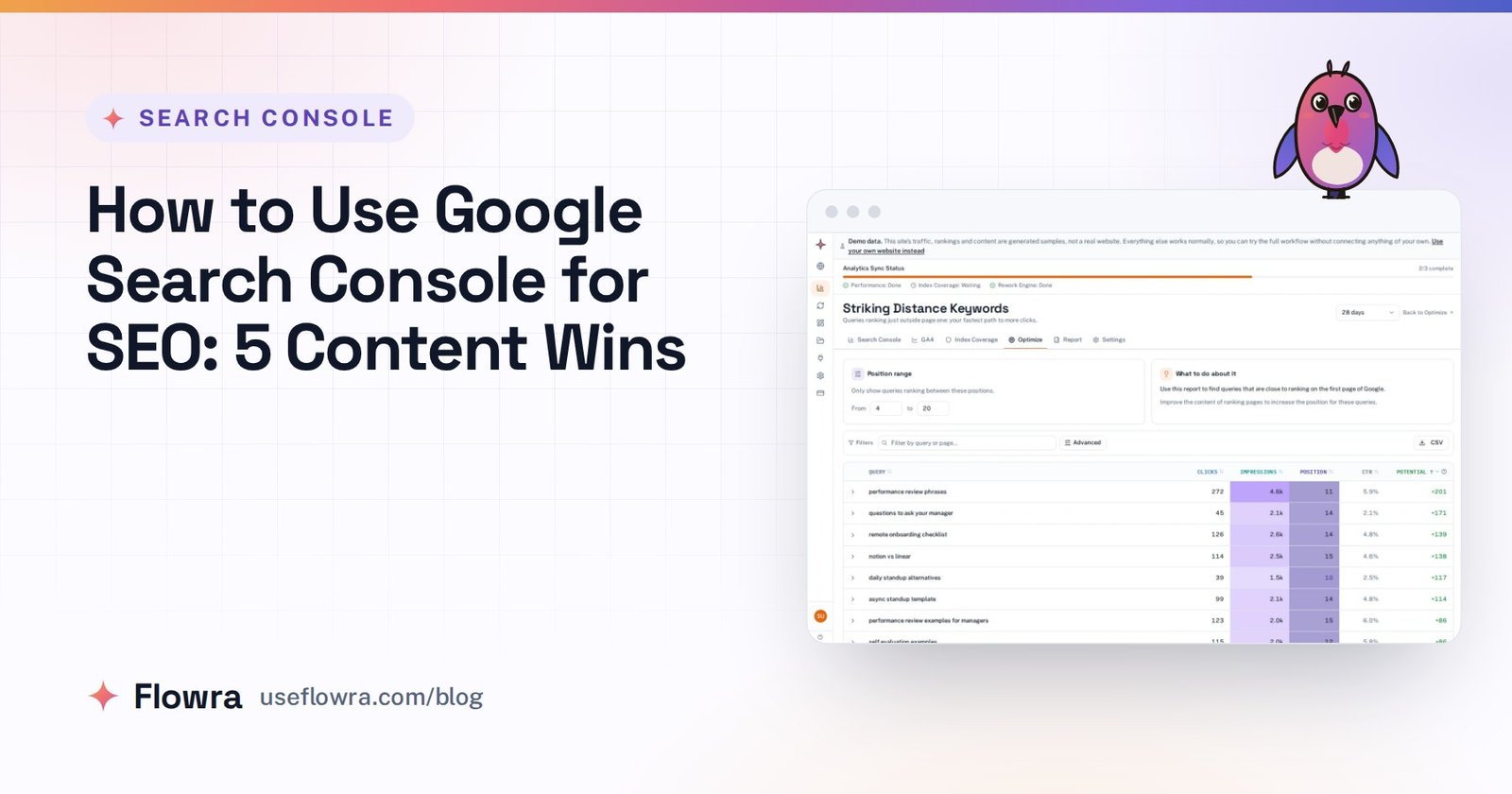
Striking distance keywords are searches where one of your pages already ranks just below the top of Google, usually in positions 11 to 20 on page two. Google already treats the page as relevant. So better content, a few internal links or a sharper title can often move it onto page one. That costs far less than getting a new page to rank from scratch.
You find them in Search Console with a position filter. The harder part, which most guides skip, is reading the numbers correctly and deciding which pages to fix first. If you are new to the Performance report, start with how to use Google Search Console for SEO, then come back here.
Why striking distance keywords matter
Clicks collapse after the first few results. Backlinko’s study of about 4 million Google results found that the first result had a 27.6% click-through rate, about ten times the rate of the tenth result, and that only 0.63% of searchers clicked anything on page two. The study is several years old and came out before AI Overviews, so treat the exact figures as a rough guide. What matters is how steeply clicks fall.
A query at position 14 with thousands of impressions sends you almost nothing today. At position 6 it becomes real traffic. The page and the demand already exist. Only the ranking is missing.
Which position range counts as striking distance?
Most guides use 11 to 20. Some use 11 to 30, others 4 or 5 to 20, and almost none explain why. Here is a range you can defend: 8 to 20.
- Positions 11 to 20 are page two. This is the core of your list.
- Positions 8 to 10 are technically page one. On most searches, though, they sit below ads, an AI Overview, People also ask, videos or a map pack. Few searchers scroll that far, so these results behave more like page two than like position 3.
- Positions 4 to 7 need a different fix. The page is already visible, so the gain usually comes from the title, the snippet or a featured snippet, not from moving up.
- Below 20, impressions get thin. Search Console only counts an impression when your result appears on a results page the searcher actually loaded. Past position 20, that mostly means the few people who reach page three, so there is too little data to act on.
How to find striking distance keywords in Google Search Console
- Open Search Console > Performance > Search results.
- Set the date range to the last 3 months. That is long enough to smooth out daily swings and recent enough to reflect the page as it is now.
- Click the Average position tile so the position column appears. Keep Impressions on.
- Remove branded searches: + Add filter > Query > Custom (regex) > Doesn’t match regex, then enter your brand name and its misspellings, separated by
|. - On the Queries tab, click the filter icon above the table, choose Position > Greater than and enter 7.9.
- Click Export and choose Google Sheets or Excel. In the sheet, delete every row with a position above 20, then sort by impressions, highest first.
If your site has more than 1,000 queries
The Search Console interface shows and exports at most 1,000 rows. The table filter in step 5 only narrows what the table shows. It does not raise that cap, so don’t assume it reaches queries outside the 1,000 rows the report loaded. If the unfiltered Queries table is full at 1,000 rows, your list is probably incomplete. There are two ways around it:
- Split the export by section. Use a page filter, not a table filter: + Add filter > Page > URLs containing
/blog/, then/guides/and so on. Each section gets its own 1,000 rows. Repeat steps 5 and 6 for each one. - Use the Looker Studio connector or the Search Console API. Google says both can return up to 50,000 rows a day per site and search type.
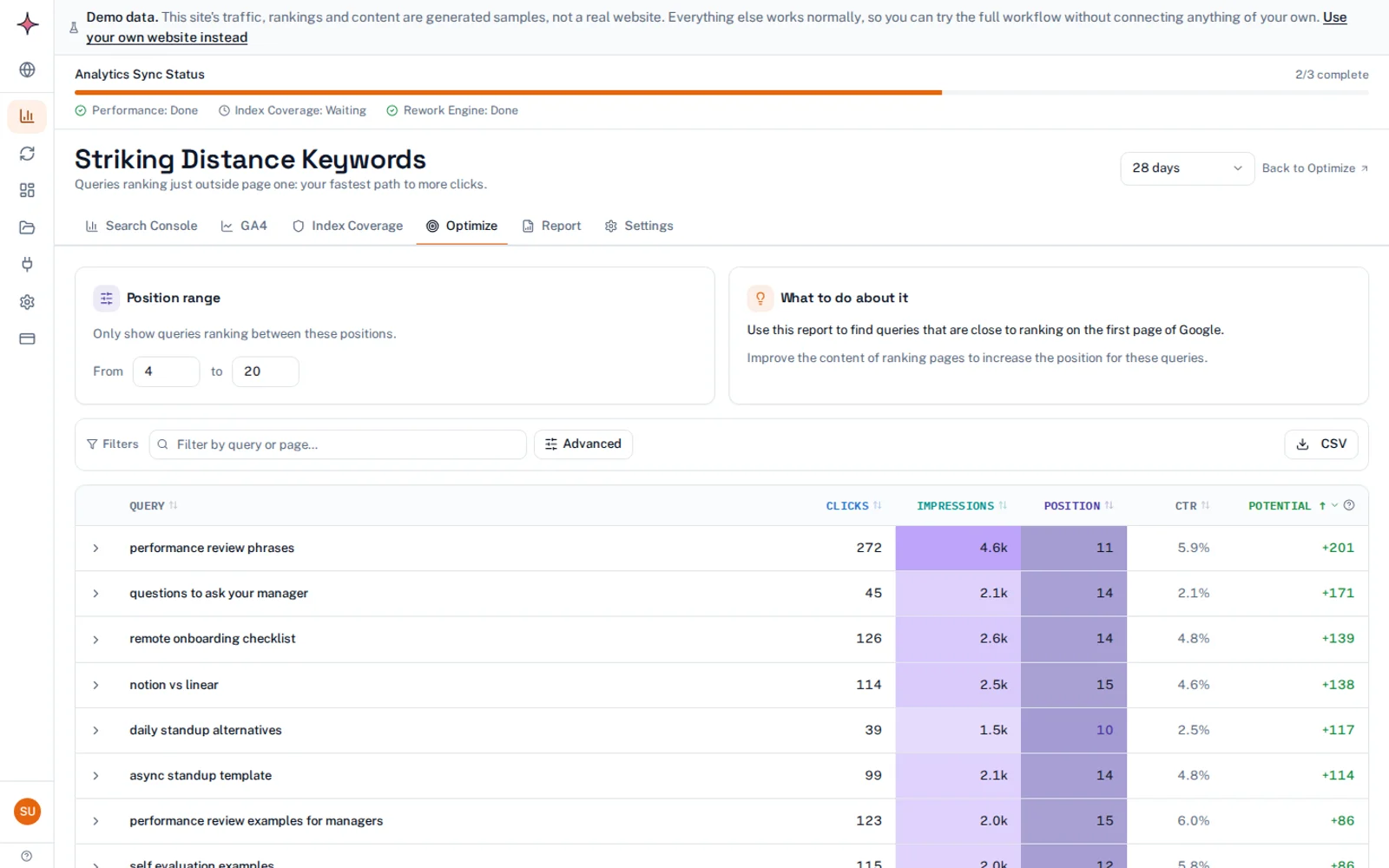
In Flowra, the Striking Distance Keywords report under Analytics > Optimize builds the position-filtered list from your Search Console data. You can change the position range, and a Potential column estimates the extra clicks each query could win. The Free plan shows the top 5 queries. The full list comes with the analytics dashboard on paid plans.
Average position can mislead you
Search Console reports the average position of the topmost result from your site. A position of 12 can mean a page that sits at 12 every day. It can also mean a page that ranks 4 on mobile in the US and 40 on desktop everywhere else. Those two pages need different fixes.
Before you commit to a query, click it in the table and check three things:
- Pages tab: is more than one of your URLs ranking for it?
- Countries and Devices tabs: is the average hiding a split?
- The chart, with Average position on: is the line steady or swinging? If a page bounces between page one and page four, the usual cause is an intent mismatch or a competing URL. Adding a paragraph fixes neither.
Clean the list and group it by page
A raw query list makes the job look bigger than it is. Shrink it in three steps.
- Drop the noise. Set a minimum impressions threshold that fits your site’s size. A query with a few dozen impressions over three months is rarely worth a decision.
- Merge variants. “Performance review phrases” and “phrases for performance review” are one topic. Add their impressions together.
- Group by URL. The Queries export does not include the ranking page. To see query and page side by side, use the Search Console connector in Looker Studio (the URL impression table, with Landing Page and Query as dimensions). The slower option is to click each query and note its page.
You now have a list of pages, each with its total striking distance impressions. One page with fifteen page-two queries beats fifteen queries spread across fifteen pages. If two of your URLs show up for the same query, they are competing. Decide which one should own it before you rewrite either.
Which striking distance keywords to fix first
Rank your pages on four signals:
| Signal | What to look for |
|---|---|
| Impressions | Your own demand data. It reflects your site, unlike third-party volume estimates. |
| Position | Positions 11 to 15 first, because they need the smallest move. Leave 16 to 20 for later unless their impressions are large. |
| Intent and value | The query matches what the page is for, and a visit is worth something to the business. |
| Results layout | Search the query yourself. If an AI Overview and four other features fill the screen, page one may still be out of view. |
To put a rough number on a move, the free striking distance calculator shows what moving up could be worth.
How to improve rankings for striking distance keywords
Work through these in order, easiest first.
- Add internal links. Search
site:yourdomain.com "your keyword"in Google to find pages that already mention the topic. Link from them to the target page, using anchor text close to the query. - Answer the query on the page. Compare the top five results with your page. Add the sections they cover and you do not. Update stale facts, and make the opening paragraph answer the question directly.
- Tune the title and meta description. Make sure the title uses the searcher’s wording. A clearer snippet also lifts click-through once you reach page one.
- Earn backlinks. On competitive queries, page-one rivals often have more links. This is the slowest fix, so try the on-site fixes first.
Page one is no longer ten blue links. If an AI Overview answers the query, put a clear answer people can quote near the top of your page. That gives you a chance at a citation in the Overview as well as a better ranking.
Refresh the existing page or create a new one?
| Situation | Do this |
|---|---|
| The right page ranks but covers the topic thinly | Refresh and expand it on the same URL |
| The wrong URL ranks (homepage, loosely related post) | Create a dedicated page and link to it from the URL that ranks now |
| Two of your URLs alternate for the query | Merge them into one and redirect the other, or make each one clearly different |
| The query wants something else (a template, not a guide) | Create a new page for that intent |
Refresh by default, because the existing URL keeps the history it has already earned.
Track each change, one at a time
Log the date, the page and exactly what you changed. Change one thing per page at a time, or you will not know what worked.
Then wait. Google has to recrawl the page, and rankings often wobble for a while afterwards. A few weeks after the recrawl, compare a period of the same length before and after the change. There is no reliable public data on how often these pushes work or how long they take, so your own log is the evidence that counts.
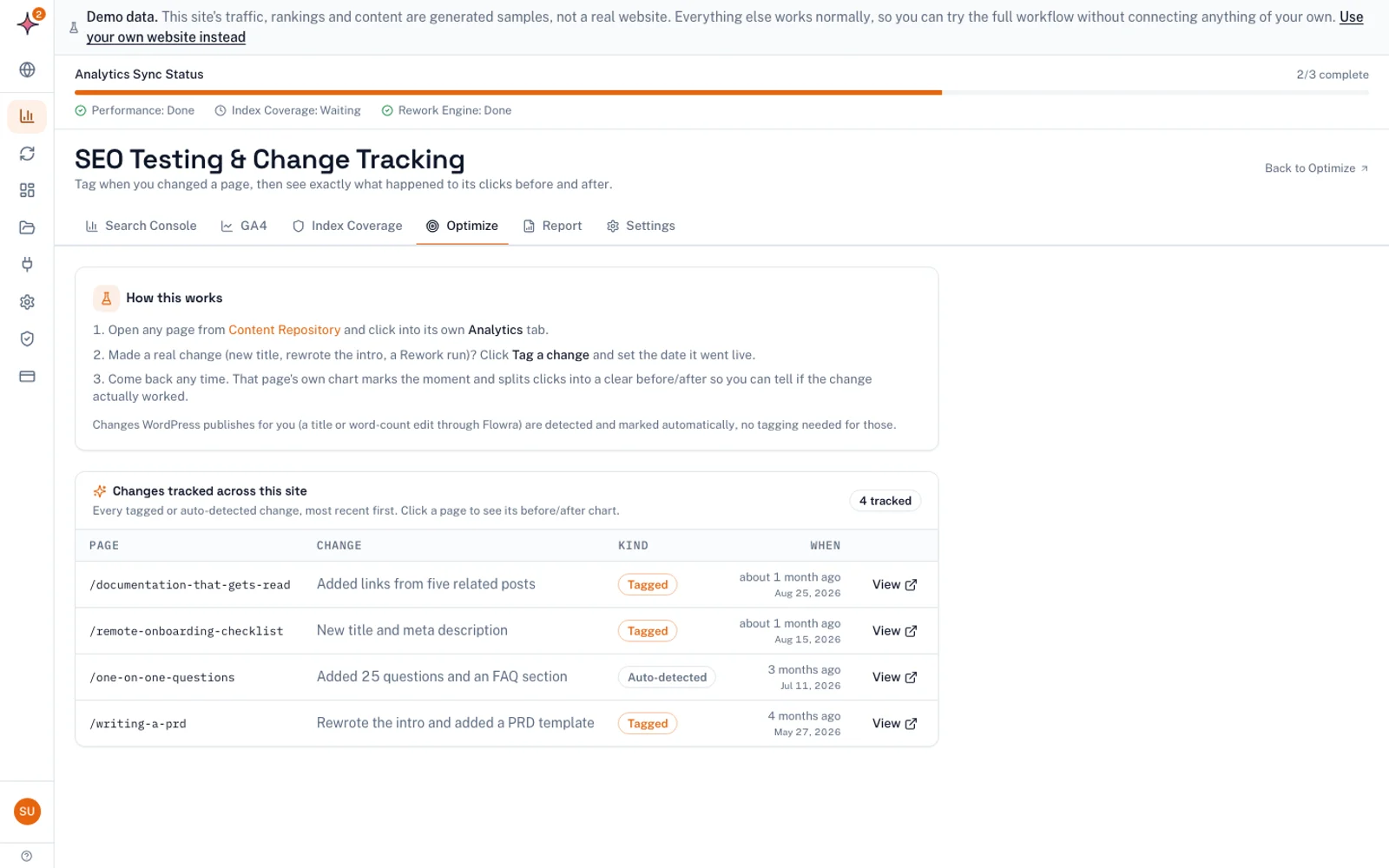
Flowra lets you tag a change on a page. It then compares the period before and after, with a 14 day settling window and an adjustment for movement across the whole site. The verdict ranges from “This change helped” to “This change hurt”, or “no clear change” when the data cannot tell. It is a before-and-after comparison, not a split test.
Other tools for finding striking distance keywords
You will also see SEO suites (Semrush, Ahrefs, Moz, Botify) and content tools (Clearscope, Surfer) suggested for this job. Before you trust a tool’s list, check where its positions come from. Positions a tool estimates from its own rank tracking will not match Search Console exactly. Some features read your Search Console data directly instead: Botify’s documentation describes its RealKeywords feature as built on it (checked November 2026). For pages you own, act on Search Console’s numbers.
What to do next
Pull your 8 to 20 list for the last three months today, and check whether you hit the 1,000-row cap. Group it by page and pick the three pages with the most page-two impressions. Fix internal links first, then content, and log every change. If you would rather not rebuild the list by hand each time, Flowra’s SEO monitoring dashboard builds it from your Search Console data automatically, and its weekly report shows the pages that reached page one.
Frequently asked questions
What are striking distance keywords?
Striking distance keywords are search queries where one of your pages already ranks close to page one of Google, usually in positions 11 to 20. Because Google already sees the page as relevant, a modest improvement can move it into view. That makes them some of the cheapest traffic gains on an existing site.
Are long-tail keywords important for striking distance?
Yes, once you group them by page. A single long-tail query rarely has enough impressions to matter. Ten variants ranking on the same page add up to a real target, so merge similar queries and judge the page on their total impressions.
Do backlinks matter for striking distance keywords?
They can, especially on competitive queries where the page-one results have more links than you. Backlinks are the slowest and hardest fix, though. Start with internal links, content and the title, and go after links only if those do not move the page.
Should I go after high-volume, high-difficulty terms first?
Usually not. A page at position 12 on a modest query needs a much smaller move than a page at 19 on a fiercely contested one. Prioritise by your own impressions, how close the page is to page one and business value, not by third-party difficulty scores.
What is the easiest way to improve a striking distance keyword?
Add internal links. Find pages on your site that mention the topic with a site: search, then link to the target page using anchor text close to the query. It takes minutes and changes nothing on the target page itself.