Most agencies use several SEO reporting tools, not one. Google Search Console and GA4 supply the data. A suite (Semrush, Ahrefs or SE Ranking) adds tracked rankings, backlinks and site audits. A reporting layer turns all of it into a branded client report.
Data Studio (Google’s free report builder, called Looker Studio until April 2026) is enough if you have time to build and maintain templates. If you don’t, judge a paid SEO reporting platform on three things: white-label output, how reports reach the client, and what it costs at your full client count, not at one client. Each price below comes from the vendor’s own pricing page, checked on 5 November 2026.
We make Flowra. It’s a reporting layer for sites in Search Console: it builds a weekly client report from Search Console and GA4 and shows which pages are worth fixing. It has no backlink data or site crawler, so you pair it with a suite. Our guide to SEO reports for clients covers what goes inside the report. This page is about the software.
SEO reporting tools compared
Entry prices are in USD unless marked, checked 5 November 2026.
| Tool | Type | Best for | White-label client reports | Entry price |
|---|---|---|---|---|
| Flowra | Reporting layer | Weekly Search Console and GA4 client reports, plus which pages to fix | Your branding from Starter; fully white-label on Agency | Starter $49 a month |
| Google Search Console and GA4 | Data sources | Google clicks, impressions and indexing; sessions and key events | No | Free |
| Data Studio (formerly Looker Studio) | Reporting layer | Custom dashboards on Google data | You design the whole report | Free; Pro licences sold through Google Cloud |
| Semrush | Suite | Rankings, audits and backlinks | Pro Report add-on, $20 a month | $139 a month |
| Ahrefs | Suite | Backlink data | Not listed on the pricing page | $129 a month |
| SE Ranking | Suite | Rank tracking with client reports | Agency Pack, $69 a month (annual billing) | $129 a month |
| Raven Tools | Suite with reporting | Low cost per domain at scale | White-label reports on every plan | $39 a month billed annually (2 domains) |
| AgencyAnalytics | Reporting automation | Client portals with logins | Included | $20 per client a month, billed annually |
| Whatagraph | Reporting automation | Branded reports emailed as PDFs | Included | From €699 a month, billed annually |
| DashThis | Reporting automation | Quick templated dashboards | Included on every plan | $54 a month (3 dashboards) |
| Databox | Reporting automation | KPI dashboards and goals | $80 a month add-on | Agency plan from $79 a month, billed annually |
How we chose these tools, and what we did not do
- Selection: we started with the tools that keep appearing on pages ranking for “seo reporting tools”, then kept the ones an agency would shortlist.
- Grouping: we grouped them by job (data source, all-in-one suite, reporting automation), so you never compare a data source with a report builder.
- Prices: every price comes from the vendor’s own pricing page, checked 5 November 2026. Where a page contradicts itself, we say so.
- Links: we link each vendor’s pricing page except AgencyAnalytics and Whatagraph. Both publish lists that compete for this search, so we name their pricing pages instead of linking them. Their figures were checked on the same day.
- What we couldn’t check: moz.com blocked our page checker, so we quote no Moz Pro price.
- Disclosure: we make Flowra and list it first. Its section says plainly what it doesn’t do. We didn’t run a paid trial of every tool for this article.
SEO reporting tool or platform: data sources vs reporting layers
Most lists put Search Console, Screaming Frog and a dashboard builder side by side, but they do different jobs.
- Data sources measure something and export raw numbers. Examples: Google Search Console, GA4, Screaming Frog, PageSpeed Insights.
- All-in-one suites collect their own SEO data (tracked rankings, a backlink index, site audits) and build reports on top. Examples: Semrush, Ahrefs, SE Ranking, Raven Tools.
- Reporting automation pulls data from other tools, then formats, brands and delivers it. Examples: Data Studio, AgencyAnalytics, Whatagraph, DashThis, Databox, Flowra.
A reporting platform can’t report what no data source measured. If a client wants backlinks in the report, a backlink tool has to supply them, whichever dashboard you use.
Sources also disagree by design. Search Console clicks and GA4 organic sessions count different things, so label which one each chart shows.
What to look for in an SEO reporting platform
- White-label reports. The client should see your logo, colours and name, and no vendor branding. Check which plan removes the vendor’s name. Several tools sell it as an add-on.
- Scheduled delivery or a live link. An emailed PDF lands in the inbox. A live link is always current, but only works if the client opens it. Pick the format your clients actually read.
- Search Console and GA4 integrations. Look for native connections, enough history for year-on-year comparisons, and filters by page, query, country and device.
- Rank tracking and site-audit visibility. Either the tool tracks rankings and runs audits itself, or it imports them from your suite. Search Console’s average position is an average across every query you appear for. It isn’t a tracked ranking for a fixed keyword list.
- Client portals and permissions. Can a client log in and see only their own site? Can a junior edit a report without breaking the template?
- Room for commentary. Numbers show what moved. You still have to say why, and what you did about it.
- A pricing basis that fits your growth. Tools charge per client, per dashboard, per domain, per tracked keyword or per seat. The cheapest tool at five clients can be the most expensive at fifty.
The best SEO reporting tools, tool by tool
1. Flowra (we make it)
We make Flowra.
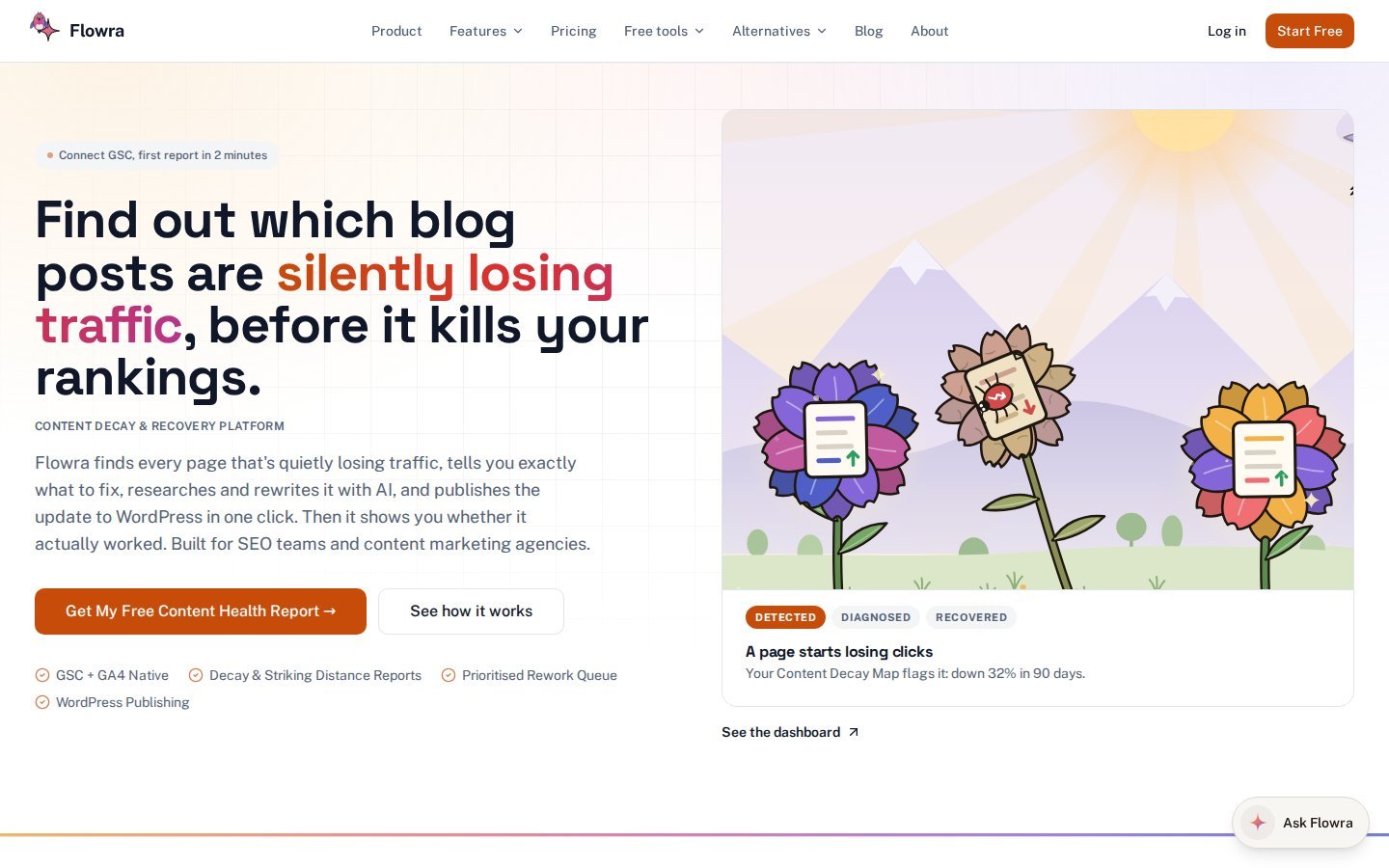
Flowra connects to a site’s Google Search Console, GA4 and WordPress. For reporting, it does four things.
- Analytics dashboard (Starter and above). Search Console and GA4 in one place, with 16 months of history. You can filter by query, page, country and device, and see new rankings.
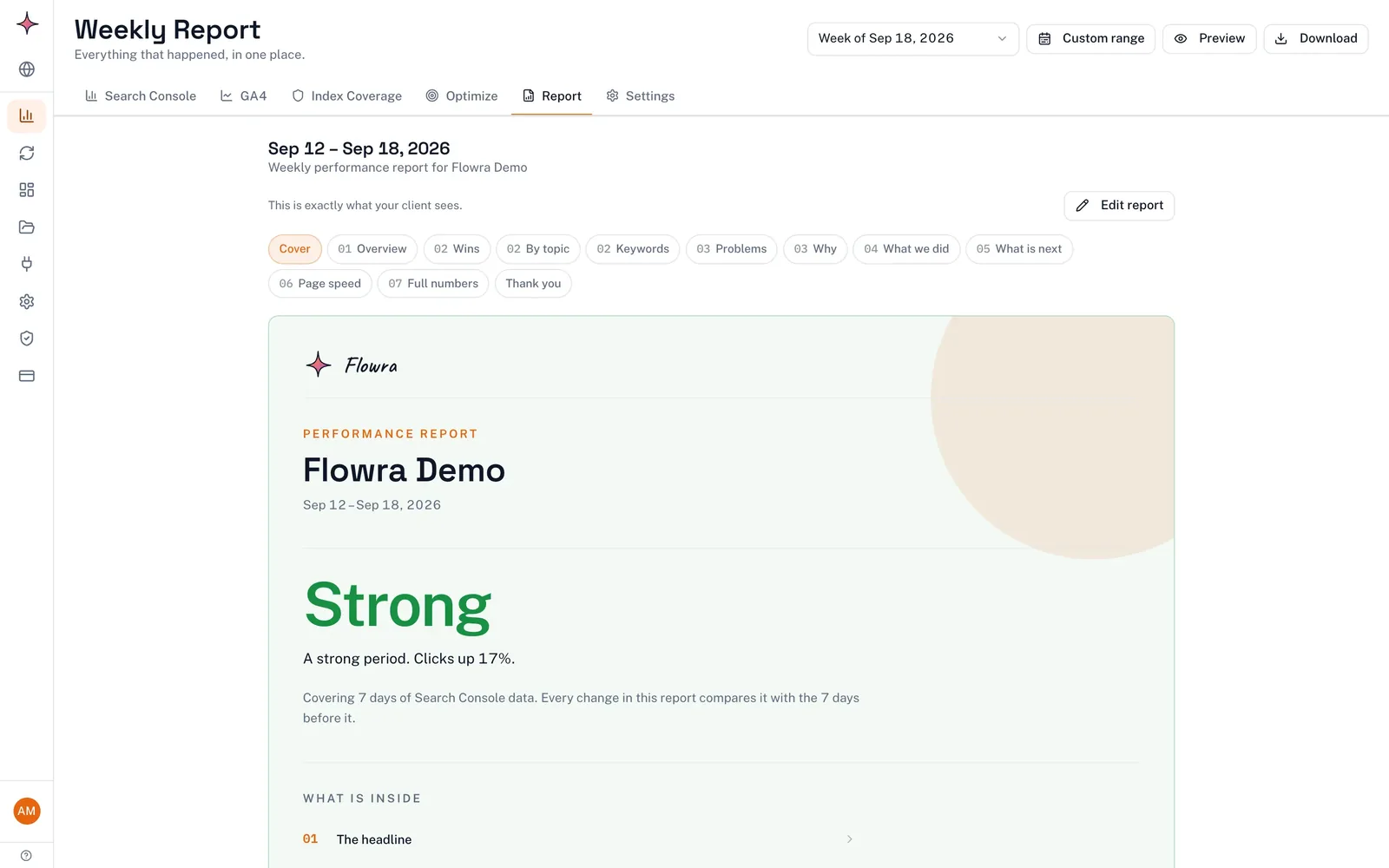
- A weekly client report. It rebuilds every week, and the app shows you when it’s ready. It explains in plain language what moved and why, with numbered chapters, featured wins, keyword gains and drops, pages that reached page one, and a closing summary. Fixed rules write it from the data, not AI. You add your own lines about the work you did.
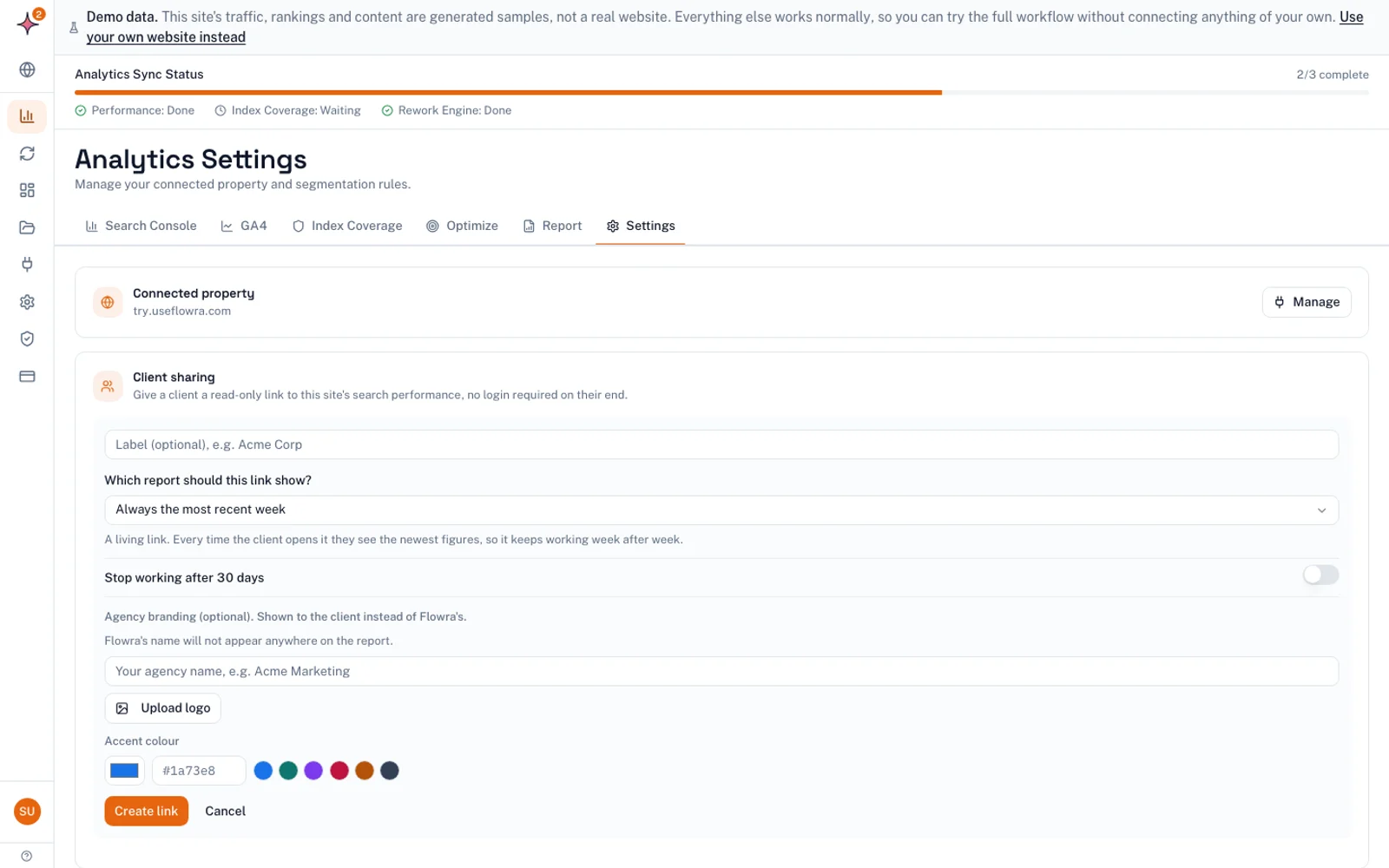
- Share links. One link always shows the current report, with your agency’s name, logo and colour (Starter and above). Starter and Pro keep a small “Report made with Flowra” line at the bottom. Only the Agency plan removes it.
- The work behind the report. Flowra finds pages losing clicks (content decay) and queries ranking roughly 8 to 20 (striking distance). Pro adds the Rework Queue. You can tag a change on a page and compare before and after, with a 14 day settling window and an adjustment for how the whole site moved. The verdict can be “This change hurt” just as easily as “This change helped”. It isn’t a split test.
Flowra also counts visits that ChatGPT, Perplexity and other AI assistants send, read from GA4 referrers. It can only count visits that arrive. It can’t see answers that sent no click.
What it does not do:
- It has no rank tracker of its own. Positions come from Search Console.
- It has no backlink data, no site-audit crawler and no keyword volume database.
- It has no PPC or other integrations beyond Search Console, GA4 and WordPress.
- It doesn’t email reports to clients. You send the link yourself.
- The report doesn’t cover manual actions, security issues, backlinks, indexing status or conversion tracking setup. Check those by hand.
- Rework and index coverage need a WordPress site. Analytics works for any site in Search Console.
If you report monthly, use the weekly report to catch problems early and send your monthly report as usual.
Pair it with: a suite for backlinks and tracked rankings, and a crawler such as Screaming Frog for technical health.
Pricing: Free ($0, 1 site, basic Search Console reports only), Starter ($49, 3 sites, 5 seats), Pro ($129, 10 sites, 15 seats), Agency ($299, unlimited sites and seats). Extra site packs cost $10 for 1, $39 for 5 and $69 for 10.
Next step: see how it works on useflowra.com, or start free on one site. The GA4 dashboard and branded client report links need Starter. Fully white-label reports need Agency.
2. Google Search Console and GA4 (free data sources)
Search Console is Google’s own record of clicks, impressions, CTR and average position. The Performance report keeps 16 months of history, and Indexing > Pages shows which URLs are indexed and which aren’t. No public count answers “what is the most used SEO tool”, but Search Console is the one every site can get free, straight from Google.
GA4 shows what visitors do after they land. It reports sessions, engagement and key events (what GA4 used to call conversions, per Google’s key events help page) by channel, including Organic Search and referrals from AI assistants. It’s where SEO connects to leads and revenue.
Pros: both are free, and they hold the most trusted organic and on-site numbers you can get. Cons: no branding, no client delivery, and you work one property at a time. GA4 is only as good as its setup. If nobody set up key events, you can’t show ROI. Pricing: free.
3. Data Studio, formerly Looker Studio (free reporting layer)
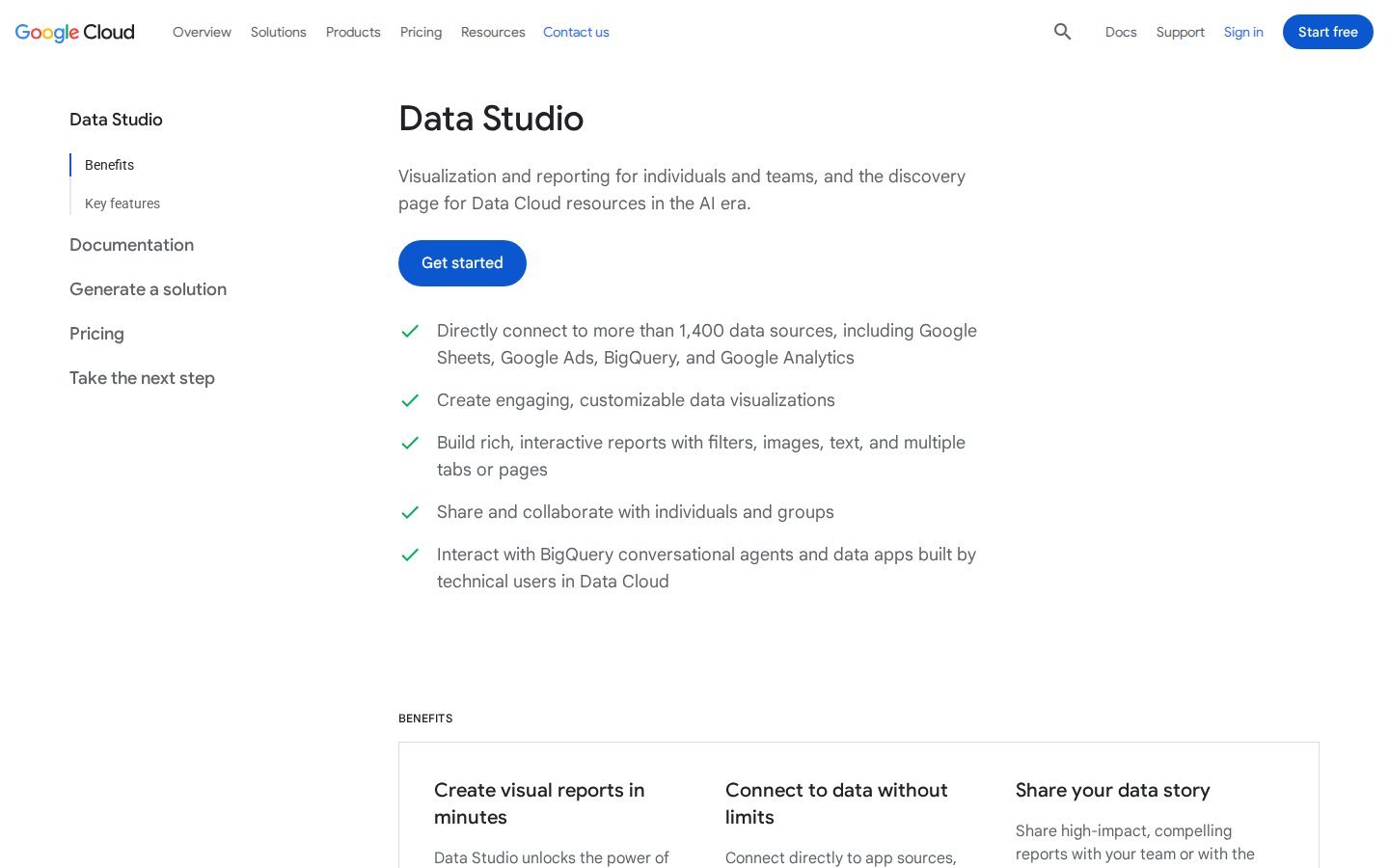
Google renamed Looker Studio back to Data Studio on 10 April 2026. Existing reports moved over with no action needed. It connects to Search Console, GA4 and Google Ads, so SEO and paid search fit in one report.
Free accounts can schedule email delivery: one schedule per report, at most once a day, to up to 50 addresses. Data Studio Pro raises that to 200 schedules per report, adds hourly sends, and can deliver to Slack or Google Chat.
Pros: free and flexible. You control every pixel, so it’s white-label by design. Cons: you build and maintain every template yourself. Non-Google sources usually need a partner connector. The free tier’s one schedule per report doesn’t suit clients with several people who each want their own report. Pricing: free. Data Studio Pro licences are bought in the Google Cloud console. Google’s docs don’t give the price, so check it there.
4. Semrush (all-in-one suite)
Semrush covers keyword research, position tracking, site audits and backlinks. Its pricing page (checked 5 November 2026) lists the SEO plan at $139 a month, with 500 daily tracked keywords and 5 websites to monitor. Pro+ is $299 for 15 websites and 1,500 keywords. Advanced is priced on request.
Pros: one subscription covers tracked rankings, audits and backlinks, which are exactly what Google’s tools lack. Cons: white-label costs extra. The Base Report add-on ($10 a month) gives PDF export, and the Pro Report add-on ($20 a month) adds branding and white-labeling. Extra users start at $45 a month each. Pricing: $139 a month, or $117.33 a month billed annually.
5. Ahrefs (all-in-one suite)
Ahrefs is best known for backlink data. It also does rank tracking and site audits. Its pricing page (checked 5 November 2026) lists Report Builder on every plan. A Report Builder add-on ($99 a month) adds 50 reports, 500 widgets and scheduling.
Pros: strong data for the backlinks section of a report. Cons: the pricing page doesn’t mention white-label. Each plan includes one user, and extra users cost $40 to $80 a month each, depending on the plan. Lite covers 5 non-verified projects, which is tight for an agency whose clients haven’t verified their sites. Pricing: Lite $129 a month (750 tracked keywords), Standard $249, Advanced $449.
6. SE Ranking (all-in-one suite)
SE Ranking combines rank tracking, site audits, backlink checks and client reports. Its pricing page (checked 5 November 2026) lists Core at $129 a month ($103.20 billed annually) for 2,000 daily tracked keywords, 10 projects and 1 seat. Growth is $279 ($223.20 annually) for 5,000 keywords, 30 projects and 3 seats.
Pros: tracked rankings and branded reports in one tool, and each project maps neatly to one client. Cons: the base plans don’t include white-label. The Agency Pack (+$69 a month, annual billing only) adds 30 client seats and white-labels both the platform and the reports. Pricing: from $129 a month, plus $69 for white-label.
7. AgencyAnalytics (reporting automation)
AgencyAnalytics is a client reporting platform built around a white-labeled client portal. Its pricing page (checked 5 November 2026) lists the Core plan at $20 per client a month, billed annually. That plan includes a white-labeled client portal, a custom domain, unlimited staff and client users, report scheduling and automated client reporting.
Pros: white-label and client logins come with the base plan. You pay only for the clients you manage, so cost is easy to forecast. Cons: cost rises with every client you add. On the same page, rank tracking is an add-on at $41.67 a month per 500 keywords, billed annually. No price for monthly billing is shown. Pricing: $20 per client a month, billed annually. The page offers volume pricing from 25 clients but doesn’t publish the discount.
8. Whatagraph (reporting automation)
Whatagraph builds branded reports from marketing data sources. Its pricing page (checked 5 November 2026) lists two plans, both billed annually. Max starts at €699 a month, with credits starting at 50. Prime is priced on request. Both include custom branding, white-label options and automated emails with a PDF attached.
Pros: branding and emailed PDF reports are both included, which suits clients who never open a dashboard. Cons: we rechecked the €699 starting price because it’s high for this category. It is what the page says. Billing is annual only, prices are in euros, and the page doesn’t say what extra credits cost. Get a quote at your client count. Pricing: from €699 a month, billed annually.
9. DashThis (reporting automation)
DashThis pulls data from connected sources into templated dashboards. Its pricing page (checked 5 November 2026) says every plan removes all DashThis branding from dashboards.
Pros: white-label on the cheapest plan. Price depends on dashboard count, and one client is usually one dashboard. Cons: it has no SEO data of its own, so you still need Search Console, GA4 and a suite behind it. AI Insights PRO is a paid add-on ($19 a month). Pricing: Individual $54 a month (3 dashboards), Professional $164 (10), Business $324 (25), Standard from $499 (50 and up). Annual billing is cheaper: $44, $139, $279 and $429.
10. Databox (reporting automation)
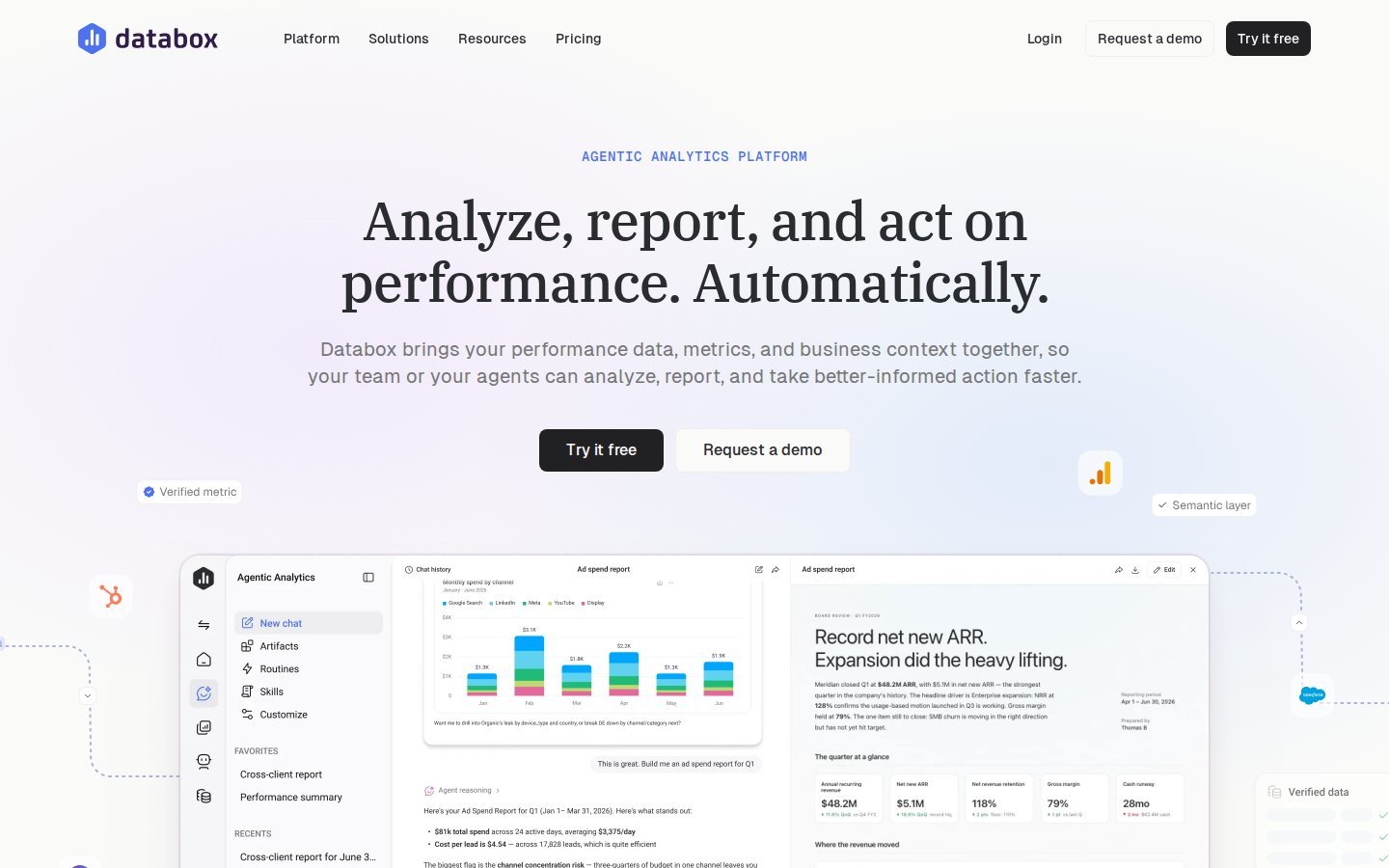
Databox is a KPI dashboard tool with goals and cross-account reporting. Its pricing page (checked 5 November 2026) lists hourly data sync on paid plans and daily sync on Free. It doesn’t charge per seat.
Pros: unlimited users on the Agency plan, hourly refresh, and goal tracking against targets you agree with the client. Cons: white-labeling is an $80 a month add-on. The page contradicts itself on price: the table says Agency starts at $79 with $20 account packs, while the FAQ says $99 with $25 packs. It also doesn’t say how many client accounts the base plan includes. Get a written quote. Pricing: Agency from $79 a month billed annually, plus account packs (1 account and 5 data sources each).
Also on most lists: Raven Tools, Moz Pro and Nightwatch
Raven Tools is an SEO suite with built-in client reporting, from TapClicks. Its pricing page (checked 5 November 2026) lists unlimited automated client reports and white-label reports on every plan. It also includes rank tracking, site crawls and backlink data from Majestic. Plans are priced by domain: Small Biz $39 a month billed annually (2 domains), Start $79 (20), Grow $139 (80), Thrive $249 (160) and Lead $399 (320). Monthly billing costs more, from $49. Pro: it’s the cheapest per domain on this list at 25 clients and up. Con: its FAQ says Start “effectively costs $99 a month”, against $79 in the table, so confirm before you buy.
Moz Pro is Moz’s paid SEO suite, home of Link Explorer and the Domain Authority metric. Pro: many clients already recognise Domain Authority, which makes a backlinks section easy to explain. Con: moz.com blocked our page checker on 5 November 2026, so we couldn’t confirm its plans, limits or white-label options. Check prices on moz.com before you shortlist it.
Nightwatch is a rank tracker. Its pricing page (checked 5 November 2026) lists Starter at €79 a month for 500 tracked keywords, with white-label reports from the Professional plan (€159, 2,500 keywords).
What an SEO report should include in 2026
| Metric | Where it comes from | What it tells the client |
|---|---|---|
| Clicks, impressions, CTR | Search Console | Whether Google shows the site more often, and whether people click |
| Rankings and visibility | A rank tracker or suite (Search Console’s average position as a rough guide) | Movement on the keywords they care about |
| Organic sessions and engagement | GA4, Organic Search channel | What visitors do after arriving |
| Conversions and ROI | GA4 key events, plus the client’s own lead or revenue values | Whether SEO pays |
| Backlinks | A suite with a backlink index | Authority gained or lost |
| Technical health | Search Console’s indexing and Core Web Vitals reports, a crawler, PageSpeed Insights | Problems that cap growth |
| AI assistant referrals | GA4 referrers | Visits from ChatGPT, Perplexity and similar tools |
How to report SEO performance
- Open with one sentence: up or down against last period, and against the same period last year.
- Show the wins: pages and queries that grew, and pages that reached page one.
- Show the problems, each with its likely cause.
- Say what you did, including what didn’t work.
- Say what comes next.
- Put the full numbers at the end for anyone who wants them.
If the client has no value per lead, agree one before the first report. Without it, ROI is a guess.
Reporting AI search and SEO plus PPC
AI search traffic. You can measure this by hand in GA4:
- Open Reports > Acquisition > Traffic acquisition.
- Set the primary dimension to Session source.
- Search for chatgpt, perplexity, gemini, copilot and claude.
Report the result as a minimum. Assistants that answer without a link send nothing. Some visits also arrive without a referrer and land in Direct.
Some tools now sell prompt tracking, which checks whether a brand is mentioned in AI answers. That measures visibility, not visits, so label it separately in the report.
SEO plus PPC. SEO suites report SEO. To show SEO and Google Ads side by side for free, use Data Studio with its Google Ads connector. Before you buy a paid cross-channel tool, check that its connector list includes every ad platform your clients use.
What it costs at 10, 25 and 50 clients
Write down each tool’s pricing basis, then multiply it out at your client count today and at double. The table assumes one site, project, domain or dashboard per client. Prices were checked 5 November 2026. These are reporting costs. A suite for backlinks and tracked rankings comes on top, except with SE Ranking and Raven Tools, which are suites.
| Tool and setup | 10 clients | 25 clients | 50 clients | White-label at this price? |
|---|---|---|---|---|
| Flowra, cheapest setup | $108 (Starter + 5-site pack + two 1-site packs), $10.80 a client | $207 (Starter + two 10-site packs + two 1-site packs), $8.28 a client | $299 (Agency), $5.98 a client | Only at 50 (Agency). Starter keeps a small Flowra line |
| Raven Tools, annual | $79 (Start, 20 domains), $7.90 a client | $139 (Grow, 80 domains), $5.56 a client | $139 (Grow), $2.78 a client | Yes, white-label reports on every plan |
| AgencyAnalytics Core, annual | $200, $20 a client | $500, $20 a client (volume pricing on request) | $1,000, $20 a client | Yes |
| DashThis, monthly billing | $164 (Professional), $16.40 a client | $324 (Business), $12.96 a client | $499 (Standard), $9.98 a client | Yes |
| SE Ranking + Agency Pack, annual | $172.20 (Core), $17.22 a client | $292.20 (Growth), $11.69 a client | Enterprise, price on request | Yes, with the Agency Pack |
Some notes on Flowra, since we know its pricing best:
- Site packs add sites. Seats follow the plan (5 on Starter, 15 on Pro).
- From 39 sites, Agency ($299) costs less than Starter plus packs. It’s also the only plan with fully white-label reports.
- At 10 clients, Pro ($129) costs $21 more than Starter plus packs. Pro also includes 15 seats, the Rework Queue and the Index Coverage Monitor.
- Fully white-label at 10 or 25 clients means the Agency plan at $299.
Whatagraph and Databox aren’t in the table. Whatagraph prices by credits and gives no figure per client. Databox’s own page gives two prices and doesn’t say how many accounts the base plan includes.
Data refresh and API limits. Ask every vendor how often it pulls fresh data and what happens when you hit a limit. Of the pricing pages we checked, only Databox gave a refresh rate (hourly on paid plans). Search Console’s own tables show at most 1,000 rows (Performance report help). For a large site’s long tail, you need the API or the bulk export to BigQuery.
Setup time across many clients. The software is rarely the slow part. Getting access is.
- Ask each client to add your Google account in Search Console (Settings > Users and permissions) and in GA4 (Admin > Property access management).
- Agree which key events count and what each one is worth.
- Build one template, then copy it for each client.
- Check the first report against Search Console by hand.
- Decide between emailed PDFs and live links.
What to do next
- List what your clients actually ask about. That tells you which data sources you need.
- Price your two favourite reporting layers at your client count now and at double, starting from the table above.
- In each trial, rebuild one real client’s last report and compare it with Search Console.
To try Flowra, start free on one site. Free gives you basic Search Console reports: the content decay report and the top 5 striking distance queries. Client reporting starts on Starter ($49 a month), which adds the full Search Console and GA4 dashboard and branded report links. Agency ($299) removes Flowra’s name from the report.
Frequently asked questions
What is the best SEO reporting tool for agencies?
No single tool covers everything. Most agencies use Search Console and GA4 for data, a suite such as Semrush, Ahrefs or SE Ranking for rankings and backlinks, and a reporting layer for the client report. Data Studio (formerly Looker Studio) is the free choice if you can build templates. A paid tool pays off once building reports by hand costs you more than the subscription.
Which SEO reporting tool has the best value?
Search Console, GA4 and Data Studio are free, so they’re the best value if you have time to build. For paid tools, value depends on how each one charges. On 5 November 2026, Raven Tools’ Grow plan was $139 a month billed annually for 80 domains, and AgencyAnalytics was $20 per client a month billed annually. Work out each tool’s monthly cost at 10, 25 and 50 clients before you choose.
Is Looker Studio enough for SEO reporting on its own?
For Search Console and GA4 data, often yes. Google renamed it Data Studio in April 2026. It’s free, connects to both, and on the free tier each report can have one email schedule, sent at most once a day. It falls short when clients want backlinks, tracked rankings or audit results, which need a suite and usually a connector.
Which tools offer white-label SEO reporting?
DashThis and Raven Tools include white-label reports on every plan, and AgencyAnalytics and Whatagraph include it too. Semrush (a $20 a month add-on), SE Ranking (a $69 a month Agency Pack) and Databox (an $80 a month add-on) charge extra, as checked on 5 November 2026. Flowra adds your branding from Starter and removes its own name only on the Agency plan. In Data Studio, you design the whole report yourself.
Can I automate SEO client reporting?
Yes. Data Studio or a paid reporting tool can automate the data pull, the charts and the delivery. The explanation of why the numbers moved, and what you did about it, still needs a person to check it. Automate the assembly and write the commentary yourself.
What’s the difference between an SEO data source and a reporting platform?
A data source measures something. For example, Search Console measures Google clicks and a crawler measures technical issues. A reporting platform pulls from those sources, then formats, brands and delivers the result. It can only report what a source has measured.